Tomb Of The Mask
About Tomb Of The Mask
Tomb Of The Mask is a free online hot game you can play right here — no download, no install, no account. Click the game area and it loads in seconds, right in this tab.
Controls are shown in-game — most games use the arrow keys or WASD plus the mouse — everything runs on keyboard and mouse. The game is a lightweight HTML5 title, so it loads fast and plays smoothly on school Chromebooks, classroom computers, old laptops and desktop PCs alike.
Tip: Beat a few levels, take a break, come back sharper — marathons end in rage quits. When you are done, pick another free game below — there are 600+ more, all instant play.
How to Play Tomb Of The Mask
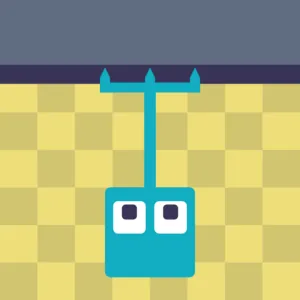
- Swipe (or press arrow keys) to launch in that direction — you slide until you hit a wall.
- Grab dots and power-ups as you zip through the vertical tomb.
- Dodge spikes, saws and the rising liquid chasing you from below.
- Survive as long as possible and chase your high score.
Tips to Win
- Plan two moves ahead: every slide ends at a wall, so know your stopping point before launching.
- The rising death is a timer — never stop moving upward for more than a beat.
- Power-ups that clear a screen are best saved for spike corridors, not open sections.
Tomb Of The Mask – FAQ
Is Tomb Of The Mask free to play?
Yes. Tomb Of The Mask is completely free at Minecraft Free Online — no download, no install and no account. The game loads directly in your browser.
Can I play Tomb Of The Mask on a school Chromebook?
Yes. It is a lightweight HTML5 browser game, so it runs on school Chromebooks and classroom computers as well as regular PCs.
How do you play Tomb Of The Mask?
Swipe (or press arrow keys) to launch in that direction — you slide until you hit a wall. Then grab dots and power-ups as you zip through the vertical tomb. The full step-by-step walkthrough is right below the game.
You May Like






About Privacy Policy Terms of Service DMCA Contact
Hot Games Driving Games Shooting Games Puzzle Games Multiplayer Games 2 Player Games Running Games Sports Games Adventure Games Action Games
© 2026 minecraft-free.online